Open a .md
Double-click it, drag it in, or open it from a set. Not an editor — the original never changes.
 MarkRead
Read Markdown on a Mac, an iPhone, and an iPad.
Scroll straight down, or read it page by page.
The files stay on the machine and go nowhere else.
Reading costs nothing.Pro →
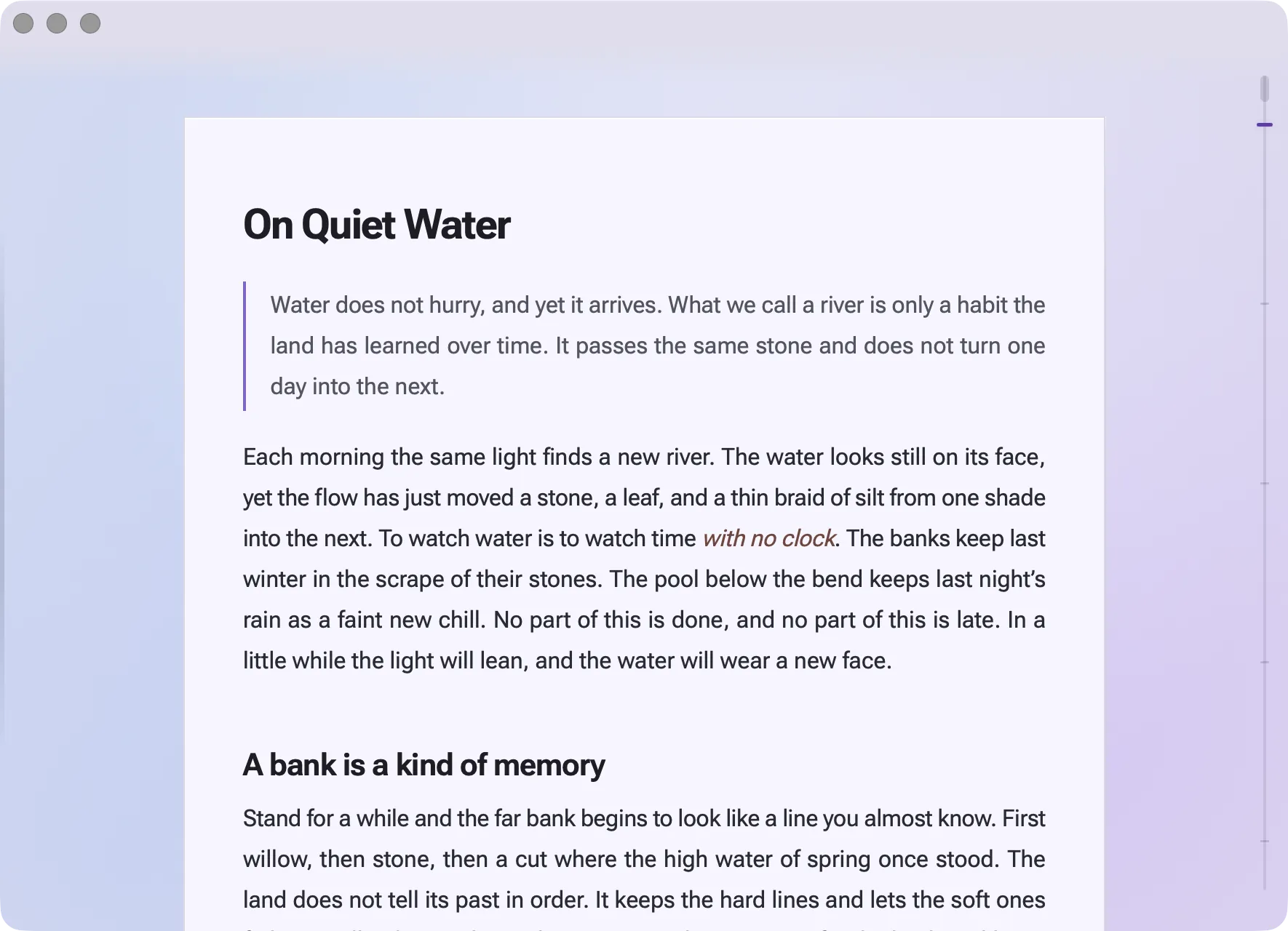
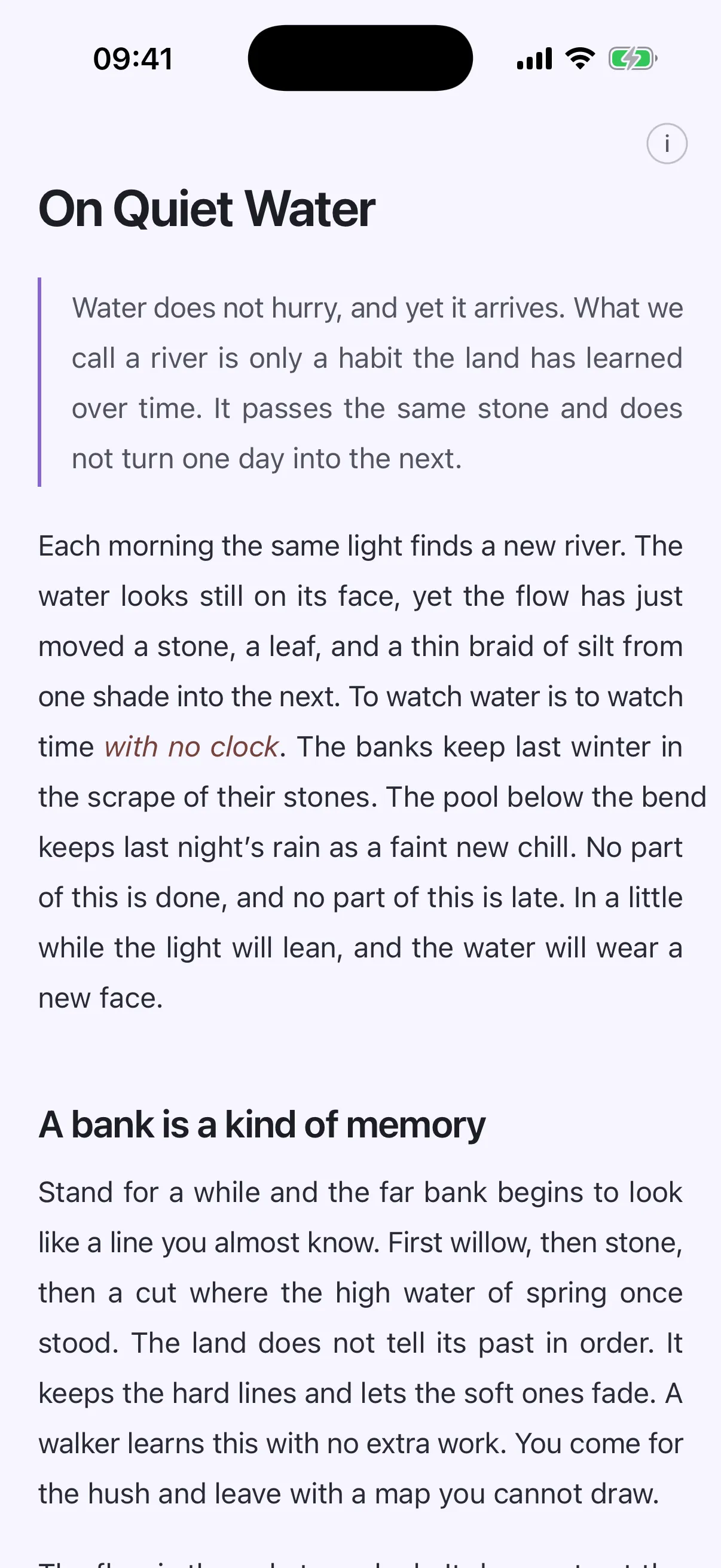
Double-click it, drag it in, or open it from a set. Not an editor — the original never changes.
Headings, quotes, tables, code, set the way a book page sets them. Size and measure adjust right here.
Stop on a line, start on that line. It travels through the iCloud that is yours. Progress crosses over; files don't.
Pages
Scroll reads straight down. Pages sets the same piece as book pages, side by side. Stack them and spread them out again, still on the page you were reading. Switch between the two and the place stays.
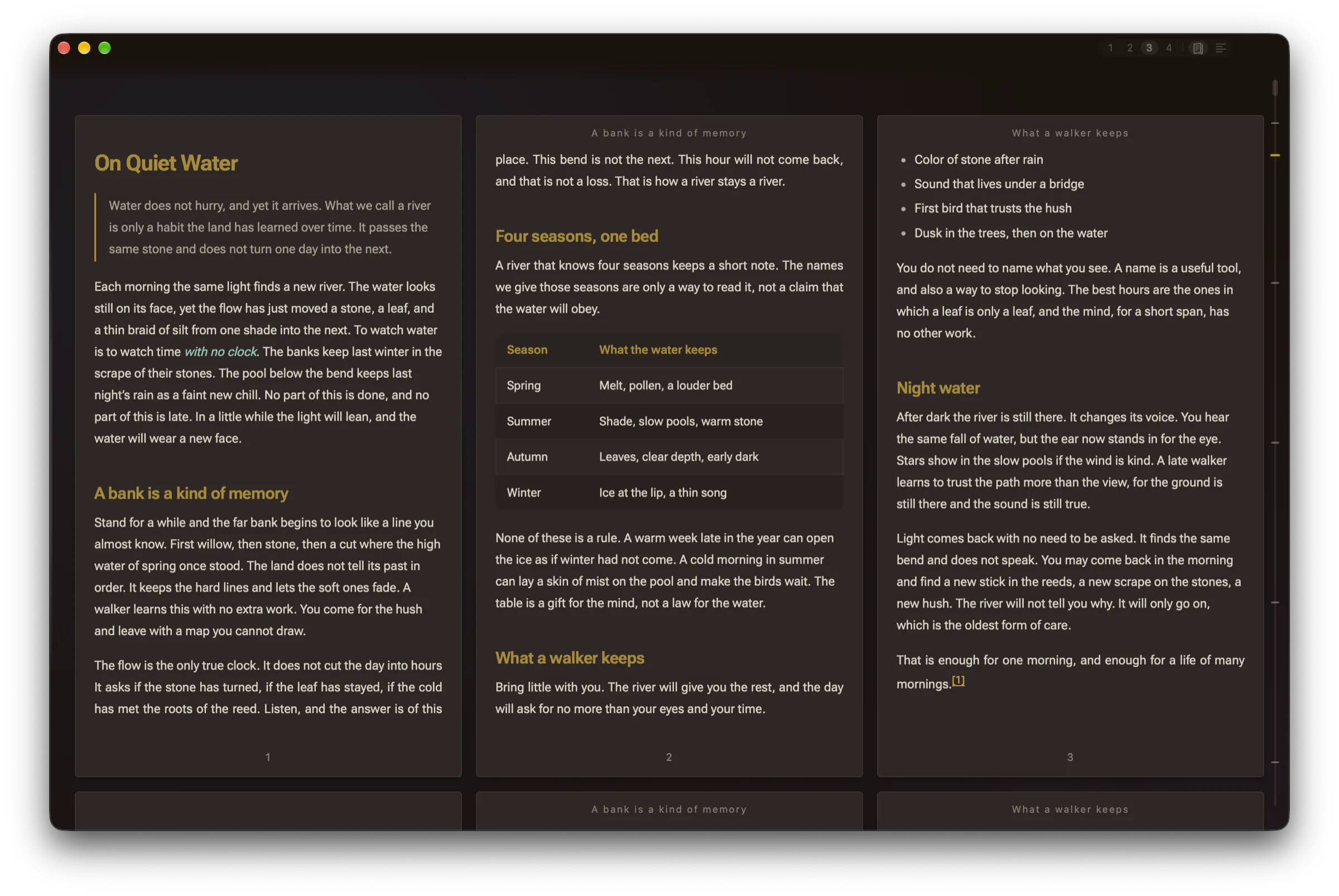
More on one screen, and a long read moves page by page. Up to four columns on iPad, two pages on iPhone in landscape, one to four on Mac.
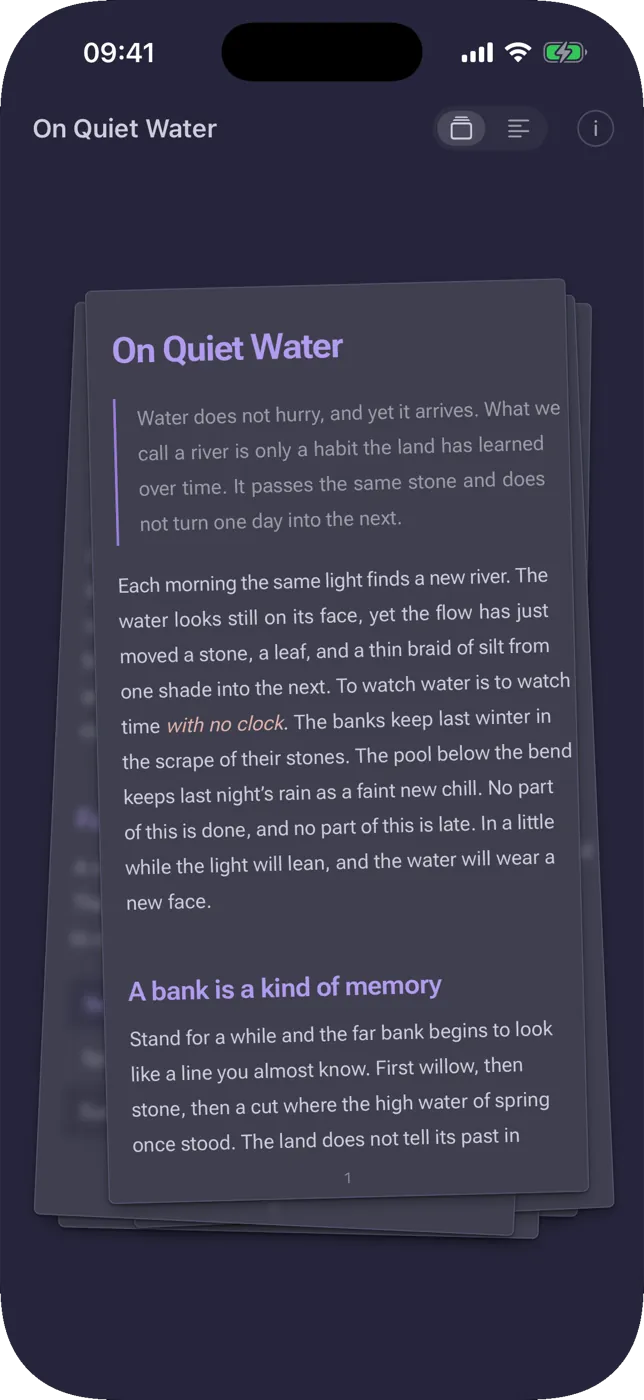
Gather the pages into a stack, then spread them back out from the page you were on. On iPhone and iPad, pinch to stack and spread to open.
Switch between Scroll and Pages any time, and stay on the line you were reading.
On the Mac
A .md opens as a page, not a screenful of code. Library and outline sit either side, so you never switch windows.
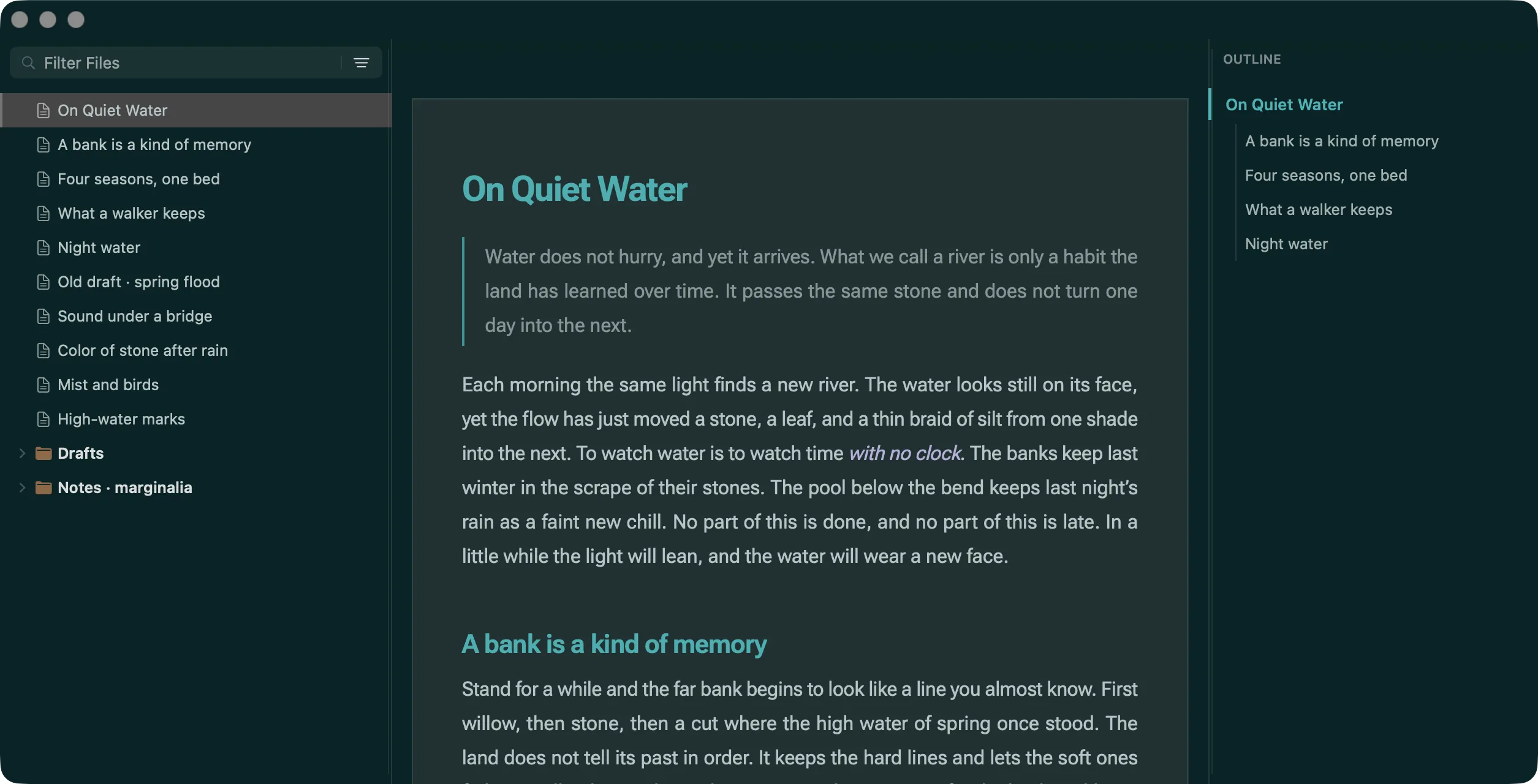
Same words, different light
Twenty-one themes; five of them fit on this page. Tap a swatch and the page below changes mood.
Not a character moved; only the light did.
Water does not hurry, and yet it arrives. What we call a river is only a habit the land has learned over time.
Each morning the same light finds a new river. The water looks still on its face, yet the flow has just moved a stone, a leaf, and a thin braid of silt from one shade into the next. To watch water is to watch time with no clock.
| Season | What the water keeps |
|---|---|
| Spring | Melt, pollen, a louder bed |
| Summer | Shade, slow pools, warm stone |
| Autumn | Leaves, clear depth, early dark |
The table is a gift for the mind, not a law for the water. See A bank is a kind of memory.
func keep(_ anchor: Anchor) -> Position {
    resume(at: anchor.utf8Offset)
}
Two free, nineteen Pro. Bone light and dark follow the system. Among the nineteen are a few papers, and some near-black ones like Midnight and Void Blue. The other sixteen are in the app.
The colours weren't picked one at a time. One rule set, one script, and tests watching the contrast. So after a switch, body, links, code and table heads still tell themselves apart.
Typography lives on this page too: body font, code font, justification, three line heights, size, measure.
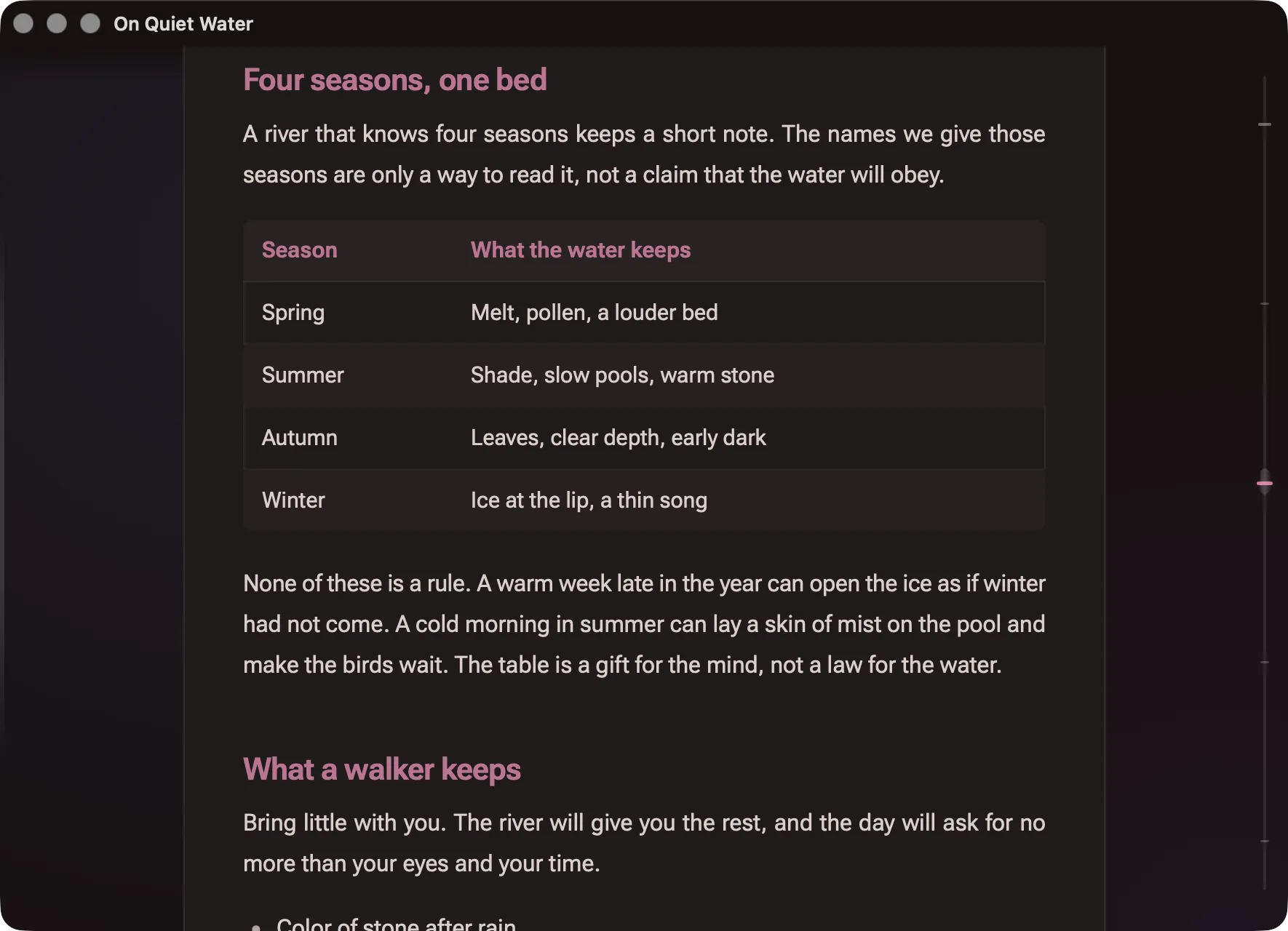
On a dark ground, tables and sub-heads still separate.
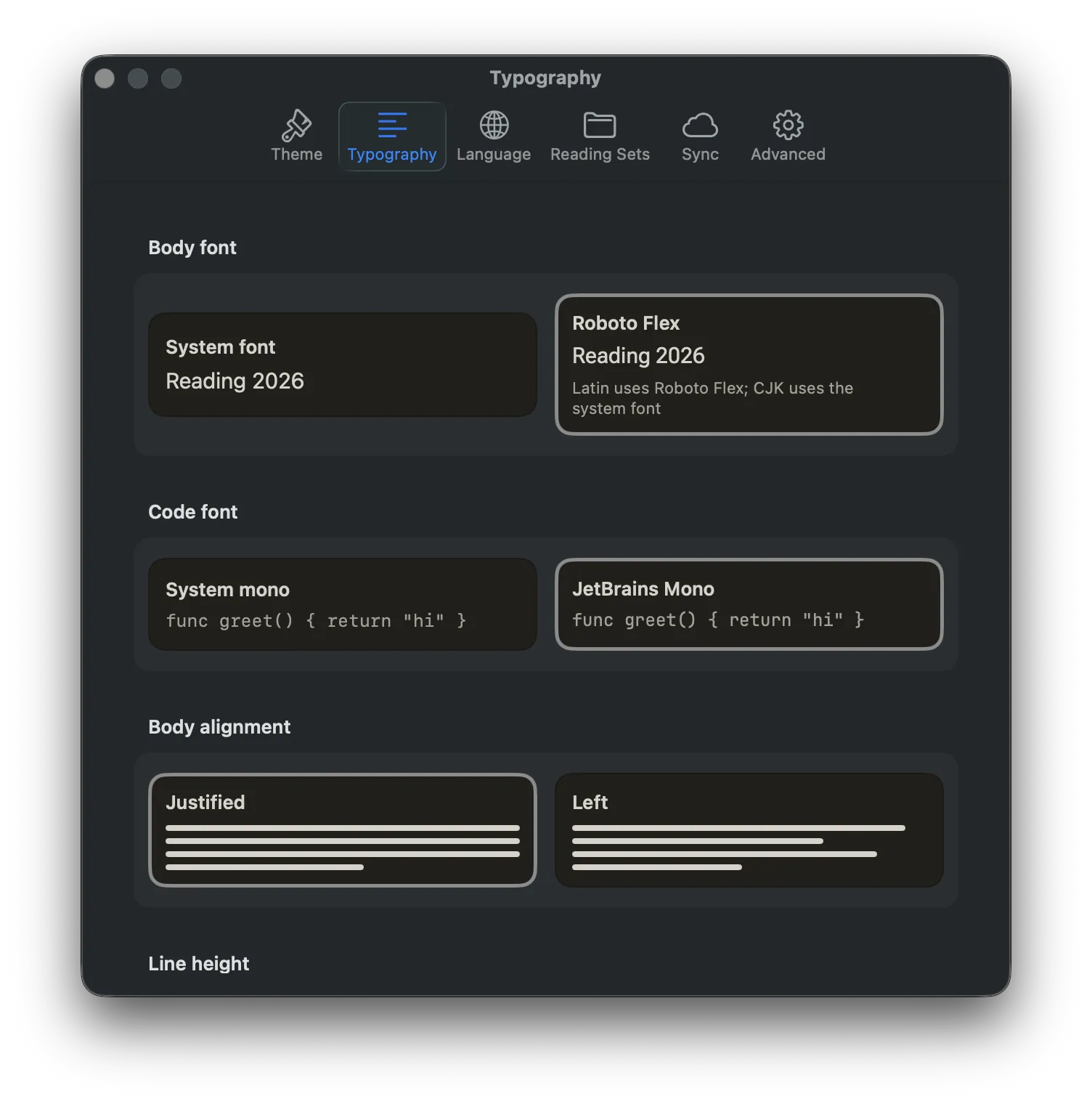
Six typography controls and one “restore defaults”, all in the settings window.
Privacy
We have no server. No account, no third-party SDK. Switch sync on and it runs through the iCloud that is yours.
Which fields, and for how long, is written out in the privacy policy — including the bit of title text we admit to syncing. Network requests inside the app are refused by CSP; links go out to your browser.
| Goes to your iCloud | Stays on the machine |
|---|---|
| Where you stopped, and the anchor for it | The body text |
| Document titles and a short excerpt | Your folder structure |
| Recents and pins | Images and attachments |
| Off until you switch it on | Anything sent to us |
Reading sets, and picking up
On the Mac, point at a folder and gather it into a set. What is in it, how far you got, what has come down, all in one list. The original notes folder isn't touched, and what you didn't gather isn't uploaded.
Only reading progress crosses over. When both ends can open the same file, the other one stops on the line you stopped on. Keeping notes in iCloud Drive is the easy way.
Export
Export the document you’re reading to another format to send it on, keep a copy, or open it in another app. Available from version 1.1.1 on iPhone and 1.1.0 on Mac.
PDFPages, with bookmarks and page numbersJPGThe whole piece as one long imageHTMLA web pageDOCXA Word documentePubRead it in BooksMDMarkdownTXTPlain textRTFRich textTextBundleA text bundle with attachmentsOPMLAn outlineOn iPhoneExport from the document info page, then share it, save it to Files, or send it with AirDrop.
On MacChoose Export As in the File menu or the ⋯ menu in the window toolbar. Right-click a heading to export just that section. Only the Mac does that.
Pricing
Open any Markdown, laid out as print; the library, the outline, and memory of where you stopped. None of it costs anything, and there is no cap.
Ready when you download it. No limit on pieces.
On top of free reading, these.
Monthly and yearly renew on their own. Switch that off any time in system settings and it stops at the end of the term. The outright price is paid once. Whatever the App Store shows is the price.
Coming to the App Store.
No answer here? Write to hello@markread.cn.
MarkRead is a Markdown reader for Mac, iPhone, and iPad. It sets any .md file as a calm, paper-like reading page, either as one continuous Scroll or page by page in Pages, side by side. It is designed for reading long Markdown closely, such as AI-generated reports, technical docs, and notes.
MarkRead runs on Mac (macOS 14.0 or later), iPhone (iOS 17.0 or later), and iPad (iPadOS 17.0 or later). It is the same app on every device, and a Pro purchase works on all of them.
Reading is free: any .md file, Scroll, Pages, Stack, typography controls, and the default light and dark themes. Pro adds 19 themes, Reading Sets, and reading progress across devices. Pro is a monthly or yearly subscription or a one-time purchase, with prices shown in the App Store.
Typora and Obsidian are tools for writing and editing; MarkRead is only for reading. It opens a .md file without changing the original and puts the focus on the page: print-like layout, Pages side by side, and an outline beside the text.
On Mac, double-click a .md file or drag it onto the MarkRead window. Library and outline sit beside the page, so you can keep moving through your documents in one window.
No. MarkRead has no server and no account, and its App Store privacy label is “Data Not Collected.” Your files stay on your device; only folders you choose to add to a Reading Set are copied into your own iCloud Drive.
Yes, with Pro. Stop on a line on one device and continue on that line on another; progress syncs through your own iCloud private database. It syncs reading position plus the document title and current section heading so the other device can find it, never the document body.
Ten. PDF (with bookmarks and page numbers), Long image (JPG), HTML, Word (DOCX) and ePub come with Pro; Markdown, Plain Text (TXT), RTF, TextBundle and OPML Outline are free. On iPhone, export from the document info page, then share it, save it to Files or send it with AirDrop. On Mac, choose Export As in the File menu or the ⋯ menu in the window toolbar; right-click a heading to export just that section (Mac only). Requires version 1.1.1 on iPhone or 1.1.0 on Mac.
Reading stays free. One app on Mac, iPhone, and iPad.